

Model Number: 75T6D
TCL LED 75T6D QLED 4K UHD SMART TV
TCL LED 75T6D QLED 4K UHD SMART TV
Regular price
Rs.282,500
Regular price
Rs.289,900
Sale price
Rs.282,500
Product Specifications
| Brand | Tcl |
|---|---|
| Size | 75 Inches |
Shipping calculated at checkout.
Bank Alfalah
FLEXIBLE PAYMENT OPTION
Bank Alfalah Easy Installments
Select your preferred installment plan and continue to checkout.
Choose your installment tenure
Product Price
Rs.
Estimated Monthly Installment
Rs. / month
Based on the selected installment tenure.
Terms & Conditions
Bank Alfalah installment charges may apply as per applicable policies.
How to place your installment order
Follow these simple steps to complete your Bank Alfalah installment payment:
1 Select your installment plan
Choose either 3 Months or 6 Months and review your estimated monthly installment.
2 Proceed to checkout
Click the checkout button and complete your delivery and contact details.
3 Select Bank Alfalah and place your order
Select Bank Alfalah as your payment method and place your order.
4 Generate your QR Code
After placing your order, you will be taken to the Thank You page. Click Generate Visa QR Code to
generate your payment QR code.
5 Scan the QR Code using your banking app
Open your banking app and use the app's scanner to scan the QR code displayed on the Thank You page
6 Complete your payment
Follow the instructions in your banking app and confirm the payment.
7 Check your payment status
Return to the Thank You page and check your Bank Alfalah payment status. The status will update once
your payment is received.
Important:
If you purchase multiple products, all products must use the same installment plan. Different installment
plans cannot be combined in one order.
You will be taken to checkout to complete your order.
In stock
Quantity
Couldn't load pickup availability
 Best Quality
 24/7 Support.
 Fast Delivery


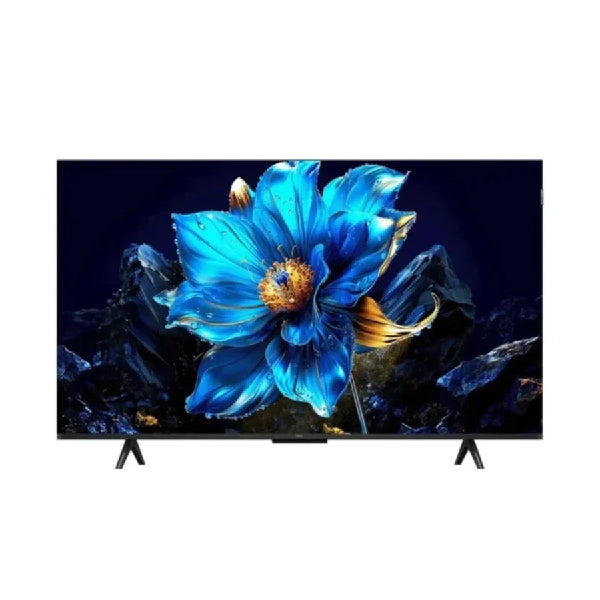
Features:
- Screen Size: 75 Inches
- Display Technology: QLED
- Resolution: 4K UHD — 3840 × 2160
- Panel: HVA Panel
- Refresh Rate: 60Hz
- Color Gamut: 93% DCI-P3
- Colors: Over 1 Billion Colors
- HDR: HDR10+
- Dolby Vision: Yes
- HLG: Yes
- Processor: AiPQ Processor
- Picture Technology: AI Picture Optimization
- Operating System: Google TV
- Google Assistant: Built-in
- Gaming: Game Master 2.0
- Audio Output: 30W — 2 × 15W
- Audio: 2.0 Channel
- Dolby Atmos: Yes
- DTS: DTS Virtual:X
- Bluetooth: 5.4
- Wi-Fi: Wi-Fi 5
- HDMI: HDMI 2.1
- eARC/ARC: Yes
- HDMI-CEC: Yes
- Screen Mirroring: Miracast
- AirPlay: Supported
- Design: Slim & Uni-body
- Bezel: Bezel-less
- VESA: 300 × 300 mm
- Dimensions Without Stand: 1667 × 959 × 74 mm
- Weight: Approx. 18.2 kg


